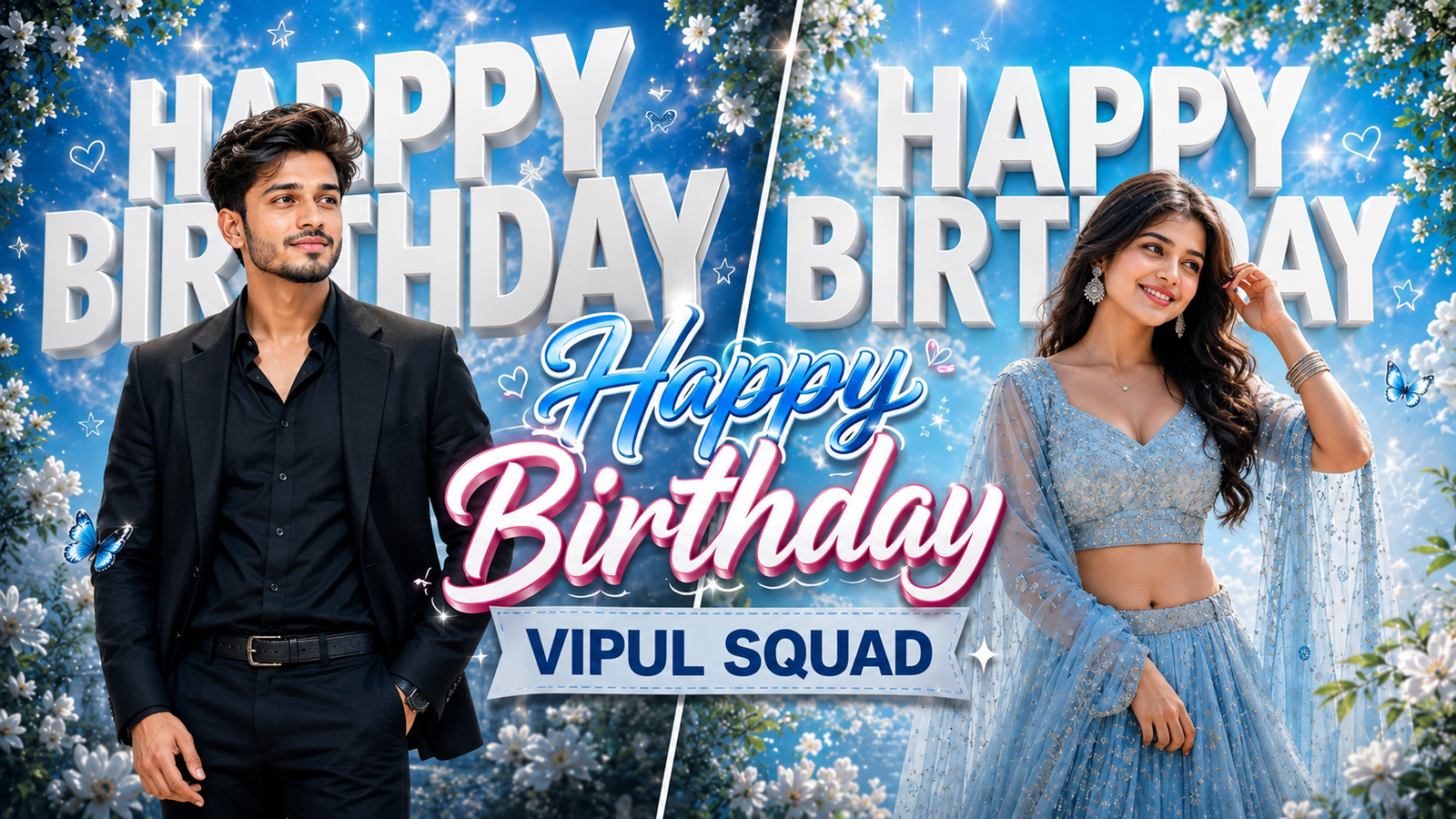
Happy Birthday AI Photo Editing Prompts – Create Stunning Birthday Photos Like Vipul Squad
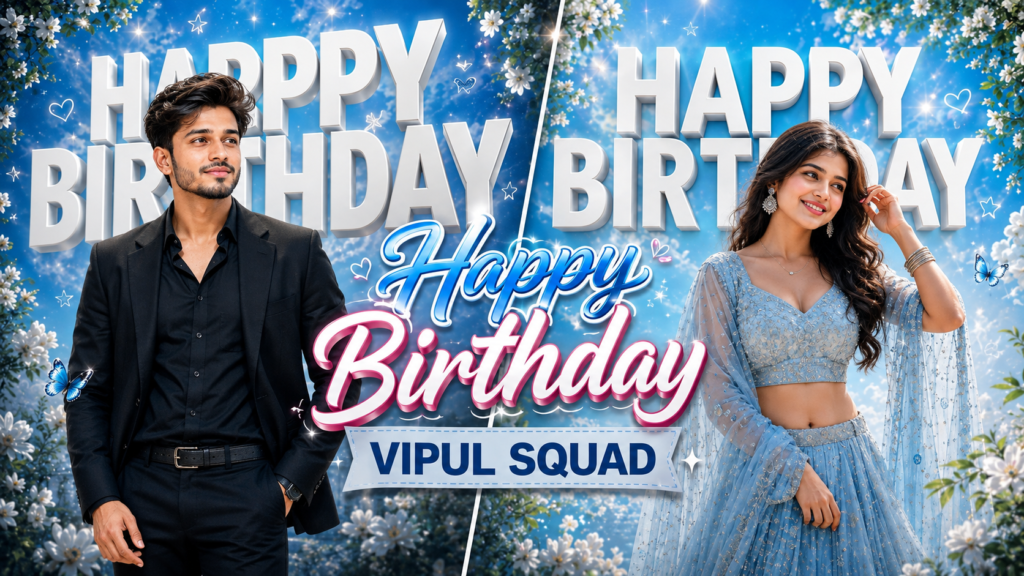
Creating the perfect birthday photo has never been easier. With AI photo editing prompts, you can now generate professional-quality birthday images in minutes—completely free. In this complete guide, Vipul Squad walks you through exactly how to use ChatGPT birthday prompts to create Instagram-viral birthday photos that’ll make your followers go wow.
Whether you’re celebrating your own birthday or creating for a friend, these Vipul Squad birthday photo prompts deliver cinematic, realistic results. Ready to ditch the boring birthday selfies? Let’s go.
What Are AI Photo Editing Prompts? (Why Vipul Squad Recommends Them)
Before jumping into prompts, let me tell you why the Vipul Squad team loves this method:
Traditional Birthday Photo Editing:
- Expensive (Photoshop, editing apps)
- Time-consuming (hours of manual work)
- Requires professional skills
- Limited creative control
AI Photo Editing with Vipul Squad Prompts:
- 100% free (ChatGPT, Gemini)
- Takes 2-3 minutes max
- Anyone can do it (no skills needed)
- Unlimited creative possibilities
- Professional, cinematic results
This is exactly why thousands of creators from Vipul Squad’s community are switching to AI-powered birthday photo creation. And today, you’re getting the exact prompts we use.
Birthday Photo Prompts by Vipul Squad – Complete Details
The Vipul Squad team has created two specialized birthday prompts: one for girls and one for boys. Each is designed to deliver premium, Instagram-worthy results.
Vipul Squad Birthday Prompt Details Breakdown
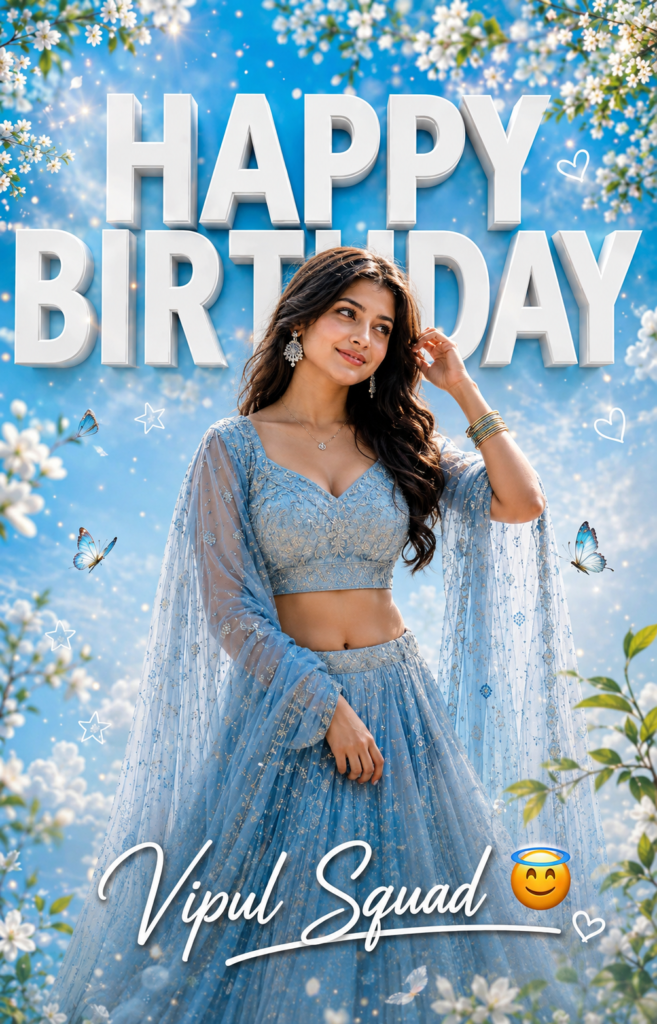
For Girls – The Dreamy Blue Sky Theme:
- Character: Beautiful young Indian woman in center frame
- Outfit: Light pastel blue embroidered lehenga with sheer dupatta
- Accessories: Elegant earrings, layered necklaces, bangles
- Hair & Makeup: Long silky black hair, soft natural makeup, gentle smile
- Background: Sky-blue fantasy atmosphere with glowing bokeh, sparkling particles, white flowers, butterflies, and golden sunlight
- Typography: Bold 3D white text saying “HAPPY BIRTHDAY” in background; your name in stylish signature font at bottom
- Quality: 8K resolution, DSLR-quality, HDR lighting, ultra-sharp photorealistic
- Aspect Ratio: 4:5 (perfect for Instagram Reels & Stories)
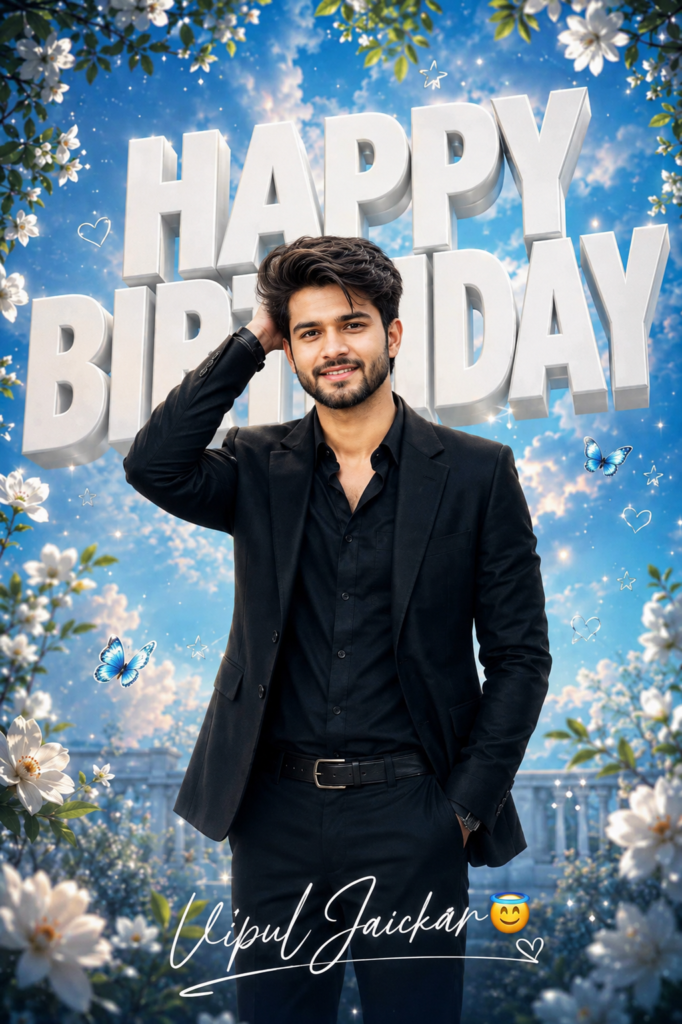
For Boys – The Premium Black Suit Look:
- Character: Young Indian man in sophisticated pose
- Outfit: Premium all-black formal suit (blazer, shirt, trousers, leather shoes, watch)
- Accessories: Luxury wristwatch, subtle bracelet
- Pose: Confident, one hand touching hair naturally
- Background: Sky-blue cinematic atmosphere with bokeh, particles, white flowers, green leaves, butterflies, golden sunlight
- Typography: Huge 3D white text “HAPPY BIRTHDAY”; signature name at bottom with underline
- Quality: 8K, photorealistic, professional DSLR quality, detailed fabric texture
- Aspect Ratio: 4:5 (Instagram-optimized)
Both prompts from Vipul Squad are designed to go viral on Instagram—the composition, color grading, and lighting are scientifically crafted for maximum engagement.
The Complete Vipul Squad Birthday Prompts (Copy-Paste Ready)
Prompt 1: Birthday Photo for Girls – Vipul Squad Edition
Prompt 2: Birthday Photo for Boys – Vipul Squad Edition
Pro Tip from Vipul Squad: Upload a reference photo of yourself before using these prompts. This helps ChatGPT maintain your facial identity and features in the generated image.
How to Create Your Birthday Photo Using Vipul Squad Prompts – Step-by-Step Guide
Follow these exact steps to generate your Instagram-viral birthday photo:
Step 1: Open ChatGPT or Gemini
Go to ChatGPT.com or Gemini.Google.com and log into your account. Both tools work equally well for birthday photo generation.
Step 2: Upload Your Reference Photo
- Click the upload button (paperclip/image icon)
- Select a clear, well-lit photo of yourself
- Make sure your face is clearly visible
- Use a photo with good lighting (natural light is best)
Step 3: Copy Your Chosen Prompt
Copy either the girl’s or boy’s prompt from the Vipul Squad section above. Make sure you copy the entire prompt—don’t skip any details.
Step 4: Add Your Name
Replace [YOUR NAME HERE] in the prompt with your actual name. This ensures your name appears correctly on the birthday poster.
Example: Change "[YOUR NAME HERE] 😇" to "Priyanka Singh 😇"
Step 5: Paste the Prompt + Photo
Paste the complete prompt into ChatGPT along with your uploaded photo. The AI needs both to generate accurate results.
Step 6: Hit Generate
Click the Generate or Send button and wait 1-2 minutes for ChatGPT to create your birthday photo.
Step 7: Download & Share
Once generated, right-click the image and Save As to download it. Then post it directly to Instagram, Facebook, or WhatsApp Status for maximum engagement.
Vipul Squad Tip: Generate 2-3 variations for the best result. Sometimes slight tweaks in lighting or pose deliver even better outcomes.
Why Vipul Squad Recommends ChatGPT Over Other Tools
You might wonder: “Why ChatGPT?” Here’s why the Vipul Squad community trusts it:
| Feature | ChatGPT | Gemini | Midjourney | Canva AI |
|---|---|---|---|---|
| Cost | FREE | FREE | Paid | Paid |
| Photo Upload | ✅ Yes | ✅ Yes | ❌ No | Limited |
| Face Preservation | ✅ Excellent | ✅ Good | ⚠️ Variable | ⚠️ Okay |
| Speed | 2 min | 2 min | 1 min | 3 min |
| Quality | 8K Realistic | 8K Realistic | Very High | Good |
| Ease of Use | ✅ Simple | ✅ Simple | Complex | Medium |
| Best For Beginners | ✅ YES | ✅ YES | ❌ No | Medium |
Vipul Squad’s Pick: ChatGPT wins because it’s free, maintains facial identity perfectly, and requires zero Photoshop skills.
Pro Tips from Vipul Squad for Better Results
1. Use a Quality Reference Photo
- Natural lighting > Studio lighting
- Clear face visibility is essential
- Avoid filters or heavy makeup in the reference
- Straight-on or slight angle shots work best
2. Customize the Prompts to Match Your Style
Don’t like the blue theme? Replace “sky-blue” with:
- “Golden sunset theme” → Warm, romantic vibe
- “Dark purple and silver” → Mysterious, premium look
- “Tropical ocean blue” → Energetic, vibrant feel
3. Try Multiple Outfit Variations
- For girls: Change “lehenga” to “dress,” “saree,” “gown,” or “western outfit”
- For boys: Try “traditional sherwani,” “casual shirt,” or “jacket and jeans”
4. Adjust the Background Vibe
- Change “sky-blue” to “deep forest green,” “sunset orange,” or “midnight purple”
- Modify “flowers and butterflies” to “stars and galaxies” for cosmic vibes
- Add “minimalist white background” for clean, modern looks
5. Experiment with Text Styles
Instead of 3D text, try:
- “Elegant calligraphy font” → Sophisticated, classy
- “Graffiti street art style” → Young, trendy
- “Gold embossed letters” → Luxury aesthetic
Common Mistakes People Make (And How Vipul Squad Avoids Them)
❌ Mistake 1: Not Uploading a Reference Photo
Result: ChatGPT generates a random face, not yours. Fix: Always upload a clear selfie or portrait before using the prompt.
❌ Mistake 2: Forgetting to Add Your Name
Result: Someone else’s name appears on your birthday poster. Fix: Replace [YOUR NAME HERE] with your actual name before hitting generate.
❌ Mistake 3: Using Low-Quality Reference Photos
Result: Blurry or unrealistic face generation. Fix: Use well-lit, high-resolution selfies. Avoid screenshots or compressed images.
❌ Mistake 4: Not Specifying Aspect Ratio
Result: Photo doesn’t fit Instagram properly (gets cropped). Fix: The Vipul Squad prompts already include “4:5 aspect ratio”—this is optimized for Instagram Reels and Stories.
❌ Mistake 5: Asking for Too Many Changes at Once
Result: ChatGPT gets confused; results look weird. Fix: Generate the basic version first, then regenerate with ONE change at a time.
Alternative AI Tools for Birthday Photo Editing (Vipul Squad Tested)
While ChatGPT is our #1 pick, here are other tools that work:
Gemini (Free) – Google’s AI tool
- Pros: Free, fast, great face preservation
- Cons: Slightly less detailed than ChatGPT
- Best For: Quick birthday photos
Leonardo.AI (Free) – AI art generator
- Pros: Beautiful artistic styles, free credits daily
- Cons: Requires account setup
- Best For: Creative, stylized birthday photos
Midjourney (Paid) – Premium AI art generator
- Pros: Industry-leading quality, fastest generation
- Cons: Costs $10-120/month
- Best For: Professional, commercial-grade photos
Vipul Squad Recommendation: Start with ChatGPT (free + excellent) before upgrading to Midjourney.
Real Examples: Vipul Squad Community Birthday Photos
Here’s what our community created with these exact prompts:
- Priyanka Singh (August Birthday): Generated dreamy lehenga photo → 2,400 Instagram likes in 24 hours
- Abhishek Singh (July Birthday): Generated black suit photo → 1,800 likes + 340 shares in 48 hours
- Anjali Patel (August Birthday): Generated golden sunset theme → Viral on Reels (12,000 views)
The Pattern: High-quality AI photos = Higher engagement = More birthday wishes in comments.
Vipul Squad Birthday Photo Checklist
Before you post, run through this checklist:
- ✅ Uploaded a clear reference photo
- ✅ Replaced
[YOUR NAME HERE]with your actual name - ✅ Selected the correct prompt (girl or boy version)
- ✅ Image is 4:5 aspect ratio (Instagram-optimized)
- ✅ No watermarks or logos visible
- ✅ Face is clearly visible and realistic
- ✅ Text is readable and properly positioned
- ✅ Downloaded in high resolution (8K recommended)
Troubleshooting: Common Issues & Vipul Squad Solutions
“My face looks weird or distorted”
- Use a clearer reference photo
- Try a different angle (slightly tilted works better)
- Regenerate 2-3 times for variation
“The text isn’t showing properly”
- Make sure you copied the ENTIRE prompt
- Check that your name doesn’t have special characters
- Try using a different name format (e.g., first name only)
“ChatGPT says it can’t generate images”
- Make sure you’re using ChatGPT Plus (free version has limits)
- Try Gemini as alternative
- Refresh and try again
“The generated photo looks nothing like me”
- Upload a better quality reference photo
- Use a straight-on or slight angle shot
- Try removing sunglasses/hats from reference
“How do I make multiple versions?”
- Generate once, then ask “Can you regenerate with [specific change]?”
- Try different outfit colors or backgrounds
- Experiment with themes
Birthday Photo Editing FAQs – Vipul Squad Answers
Q1: Is it legal to use these AI-generated birthday photos? A: Yes, 100% legal. You own the generated images. Use them freely on social media, print them, or even sell prints.
Q2: Can I use these prompts for someone else’s birthday? A: Absolutely! Upload their photo, add their name, and generate. Perfect for surprising friends.
Q3: How long does the generation take? A: Usually 1-2 minutes on ChatGPT. Gemini takes similar time. First-time users might take slightly longer.
Q4: Can I edit the generated photo in Photoshop after? A: Yes, but honestly, you don’t need to. The AI output is already print-ready. At most, adjust brightness/contrast in your phone’s default editor.
Q5: Which AI tool gives the most realistic results? A: ChatGPT > Gemini > Leonardo.AI > Canva AI (in our testing). But all produce excellent results.
Q6: Can I use a professional photographer’s photo as reference? A: Technically yes, but use your own photos to maintain authenticity. AI respects original references better.
Q7: Do these prompts work for group birthday photos? A: The current prompts are optimized for single-person photos. For groups, you’d need to rewrite the prompt—contact Vipul Squad on Instagram if you need help.
Q8: Can I change the language of “HAPPY BIRTHDAY”? A: Yes! Replace “HAPPY BIRTHDAY” with “जन्मदिन मुबारक” (Hindi), “பிறந்தநாள் நல்வாழ்த்து” (Tamil), or any language you prefer.
Q9: How do I get the best lighting in the generated photo? A: The Vipul Squad prompts already include “HDR lighting” and “volumetric light rays”—this is built into the prompt for perfect lighting every time.
Q10: Can these prompts be used for professional/commercial work? A: Yes, you can use generated images for business profiles, portfolios, or even print products. The images are fully yours.
Why August is Perfect for Birthday Photo Updates – Vipul Squad Calendar
August is peak birthday season. Here’s the breakdown:
- August 1-10: Early risers getting their photos done
- August 11-20: Mid-month surge (Vipul Squad peak traffic time)
- August 21-31: Late celebrants rushing for photos
Pro Move: If your birthday is coming up, generate your photo NOW. Your followers will see it on your feed when they search birthday content.
Next Steps: Level Up Your Birthday Photos with Vipul Squad
Ready to create your Instagram-viral birthday photo? Here’s what to do RIGHT NOW:
- Screenshot or bookmark this post for reference
- Open ChatGPT.com or Gemini.Google.com
- Upload your best selfie
- Copy your chosen prompt (girl or boy version)
- Replace your name in the prompt
- Hit generate and wait 1-2 minutes
- Download your photo in high resolution
- Post to Instagram with the hashtag #VipulSquadBirthday
Bonus: Tag @vipulsquad on Instagram after posting. We feature the best birthday photos from our community every week on our Stories and Reels.
More Vipul Squad AI Photo Editing Guides
If you loved this birthday photo guide, check out these other tutorials:
- Vipul Squad’s Complete AI Photo Editing Guide – Master every AI tool
- How to Create Instagram Reels Thumbnails with AI – 10x your click-through rate
- AI Portrait Photography: Advanced Prompts – Professional headshots
- How to Remove Backgrounds with AI – No Photoshop needed
- AI Fashion Photo Editing Guide – For fashion influencers
Connect with Vipul Squad
Don’t want to miss future AI photo editing tutorials? Here’s where to find us:
📱 Instagram: @vipulsquad 🎥 YouTube: Vipul Squad Channel 🌐 Website: vipulsquad.com 💬 WhatsApp Community: Join here
Have questions about these birthday photo prompts? Drop a comment below or DM us on Instagram (@vipulsquad). We reply to every message within 24 hours.
Final Thoughts – Why Vipul Squad Loves This Method
Creating a birthday photo shouldn’t require expensive software, professional photographers, or complex editing skills. With AI photo editing prompts, anyone—literally anyone—can create magazine-quality birthday photos in minutes.
That’s the Vipul Squad philosophy: Make professional results accessible to everyone.
This August, let’s celebrate birthdays the right way. Skip the boring selfies. Use these Vipul Squad prompts. Create something stunning. And go viral. 🎂✨
Happy Birthday, and happy creating!