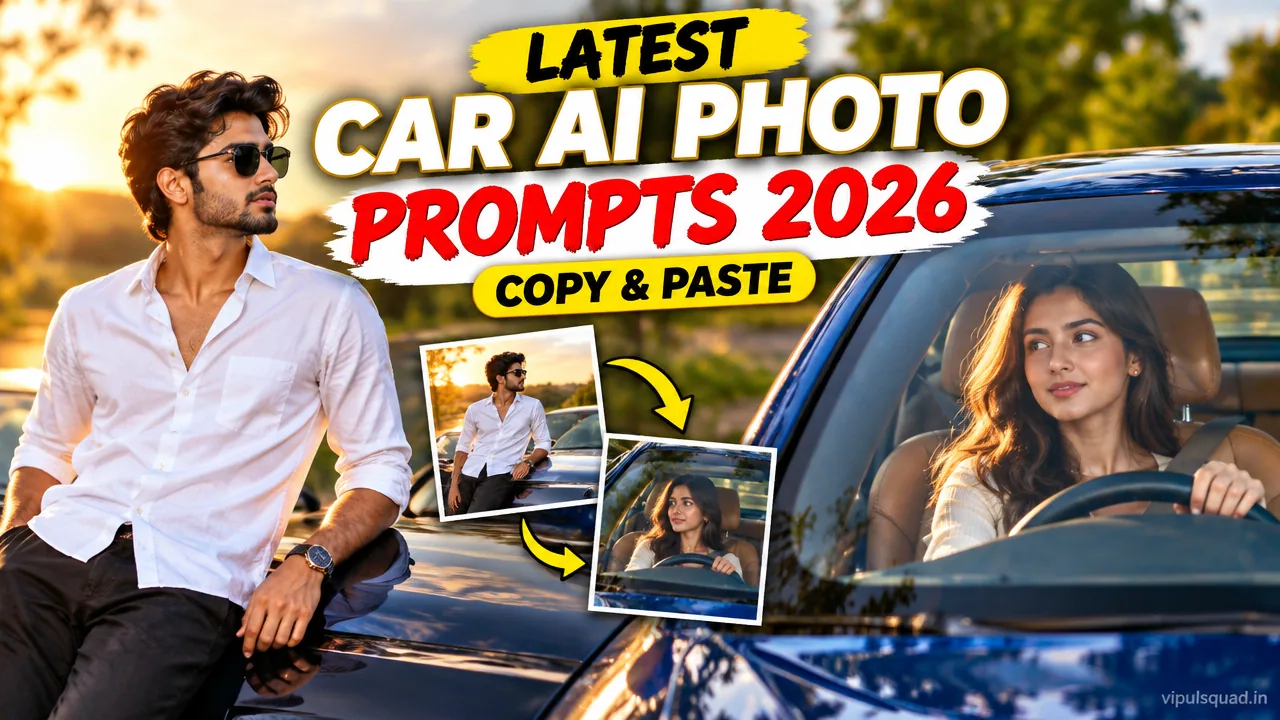
Want a stylish car photo without owning the car? These car AI photo editing prompts turn your own photo into a polished driver-seat portrait, an off-road SUV shot or a lakeside car-hood picture. Below are 3 free copy-paste prompts from Vipul Squad for ChatGPT and Gemini.
Every prompt keeps your face and identity the same. Upload your photo, tap Copy Prompt, paste it and generate.
Quick Summary: Which Car Prompt Should You Use?
- Luxury sedan portrait: glossy front-angle shot through the windshield, great for profile pictures.
- Off-road SUV interior: casual, adventurous look with sunroof light.
- Lakeside car-hood shot: cinematic evening mood, best for boys’ Instagram posts.
What Are Car AI Photo Editing Prompts?
Car AI photo editing prompts are ready-written instructions you paste into an AI image tool along with your own photo. The AI places you in a car scene with realistic light, reflections and background, so you get a premium-looking shot in seconds.
The trend works because car photos already feel aspirational: sun-lit glass, shiny paint and a relaxed pose. A clear prompt tells the AI to keep your face and only change the scene.
3 Latest Car AI Photo Editing Prompts (Copy-Paste)
Prompt 1: Luxury Sedan Driver Portrait
Best for: polished profile pictures and girls’ Instagram posts.
Use the uploaded photo and keep the person's face, hairstyle and skin tone exactly the same. Create a vertical 3:4 front-angle photograph of the person sitting in the driver's seat of a glossy deep-blue luxury sedan, both hands on the steering wheel, looking at the camera with a soft smile. Shot through the windshield from the front: sunlit tree reflections and a teal tint on the glass, the shiny hood in the foreground, a blurred sunny tree-lined street behind. Soft golden light, rich contrast, sharp eyes, natural skin texture, photorealistic, high detail. Do not add any text, logos or badges.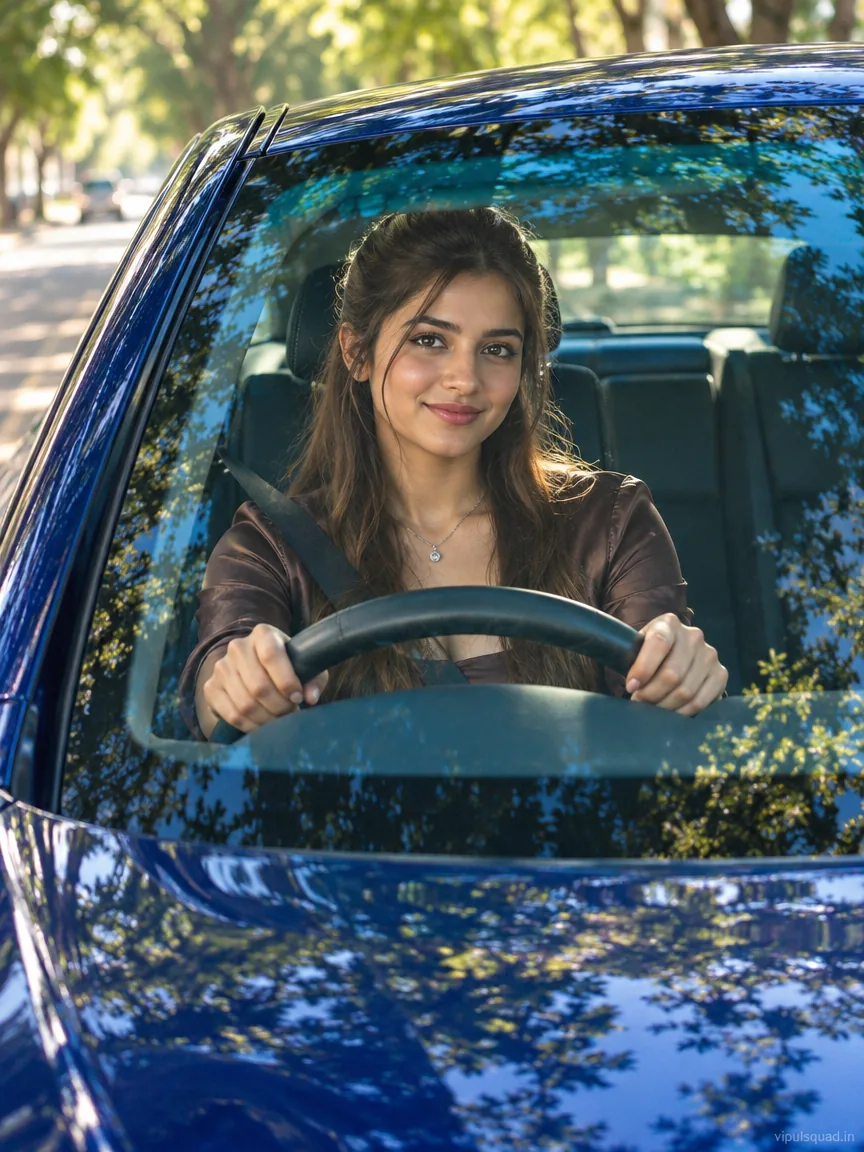
Prompt 2: Off-Road SUV Interior Casual Shot
Best for: adventurous, confident looks and travel-style posts.
Use the uploaded photo and keep the person's face and hairstyle exactly the same. Create a candid vertical 3:4 photo of the person sitting sideways in the driver seat of a black off-road SUV with the door open, one hand on the steering wheel, relaxed confident smile. Outfit: dark sunglasses, black shirt with rolled sleeves, light-blue cargo jeans and white sneakers. Black leather seats with red stitching, an open sunroof, bright daylight, green trees outside the window, natural sun glow on the face. Adventure vibe, realistic skin, sharp detail, photorealistic. Do not add any text, logos or badges.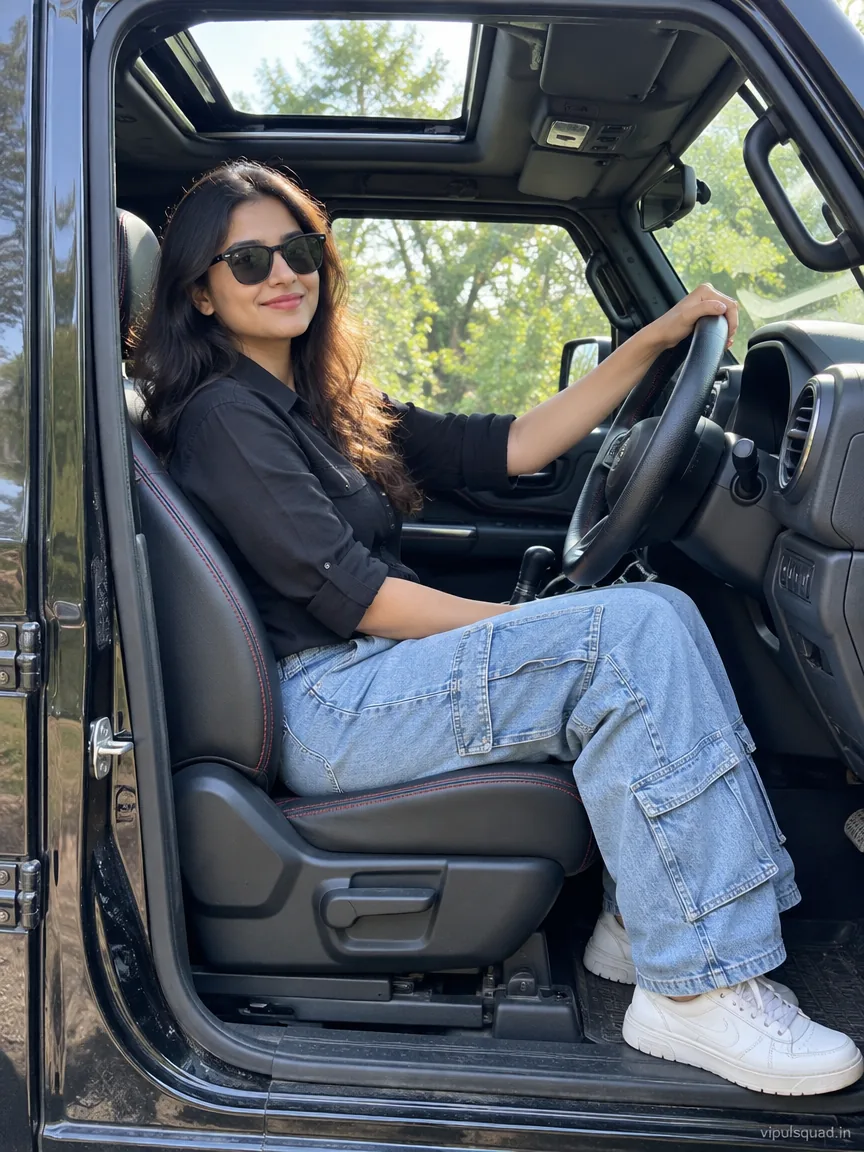
Prompt 3: Lakeside Car-Hood Portrait
Best for: cinematic boys’ photos and evening-mood reels.
Use the uploaded photo and keep the person's face, hair and identity exactly the same, with a natural pose. Create a vertical 3:4 photo of the person leaning forward on the hood of a car, seen from inside the car through the windshield, with the dashboard and steering wheel softly blurred in the foreground. Outfit: white linen shirt and dark sunglasses. Background: a calm lake, green fields and trees in soft evening daylight. Cinematic warm color grade, shallow depth of field, realistic skin texture, sharp, high detail. Do not add any text or logos.
How to Use These Prompts: Step by Step
- Pick one clear, front-facing, well-lit photo of yourself. Avoid heavy filters and blurry shots.
- Open ChatGPT or Gemini and choose image generation.
- Upload your photo first.
- Tap Copy Prompt on the prompt you like and paste it.
- Generate the image. If the face drifts, generate once more with the same photo.
- Change only one detail at a time (outfit colour, car colour or background) to fine-tune the result.
Tips for Better Results
- Choose a photo where your face is clearly visible. A good source photo gives a better result.
- Keep the line “keep the face and identity exactly the same” in the prompt.
- Use one photo per generation. Mixing several photos can blend faces.
- Ask for a vertical 3:4 or 9:16 ratio for Instagram posts and reels.
- Do not add brand names or logos to the prompt. Plain car descriptions look cleaner.
More Free Prompts From Vipul Squad
If you liked these, try our aesthetic AI photo editing prompts, 1980s Retro Streetwear prompt for boys, aesthetic girl AI photo editing guide or our Happy Birthday AI photo prompts. You can also browse the full Prompt category and the reel templates.
Frequently Asked Questions
What is a car AI photo editing prompt?
It is a ready-written instruction you paste into an AI image tool together with your own photo. The AI then shows you in a car scene such as a driver-seat portrait or a car-hood shot.
Which AI tool should I use for these prompts?
They are written for ChatGPT image generation and Gemini. Upload your photo first, then paste the prompt.
How do I stop my face from changing?
Use a clear front-facing photo and keep the face-lock line at the start of the prompt. If the face still changes, regenerate once with the same photo.
Can I change the car colour or the outfit?
Yes. Edit only that part of the prompt, for example replace deep-blue with white or change the shirt colour. Change one detail at a time.
Are the example images made from my photo?
No. The example images are AI-generated samples that show the look each prompt aims for. Your result will use your own photo.
Are these car prompts free?
Yes. All prompts on Vipul Squad are free to copy.
Final Thoughts
Car photos look best when the light is soft and the pose is relaxed. Pick the prompt that matches your mood, keep your face instruction in place and change one detail at a time. Share your edit on Instagram and drop a comment below, or reach out through our Contact page if you want a prompt for another style.