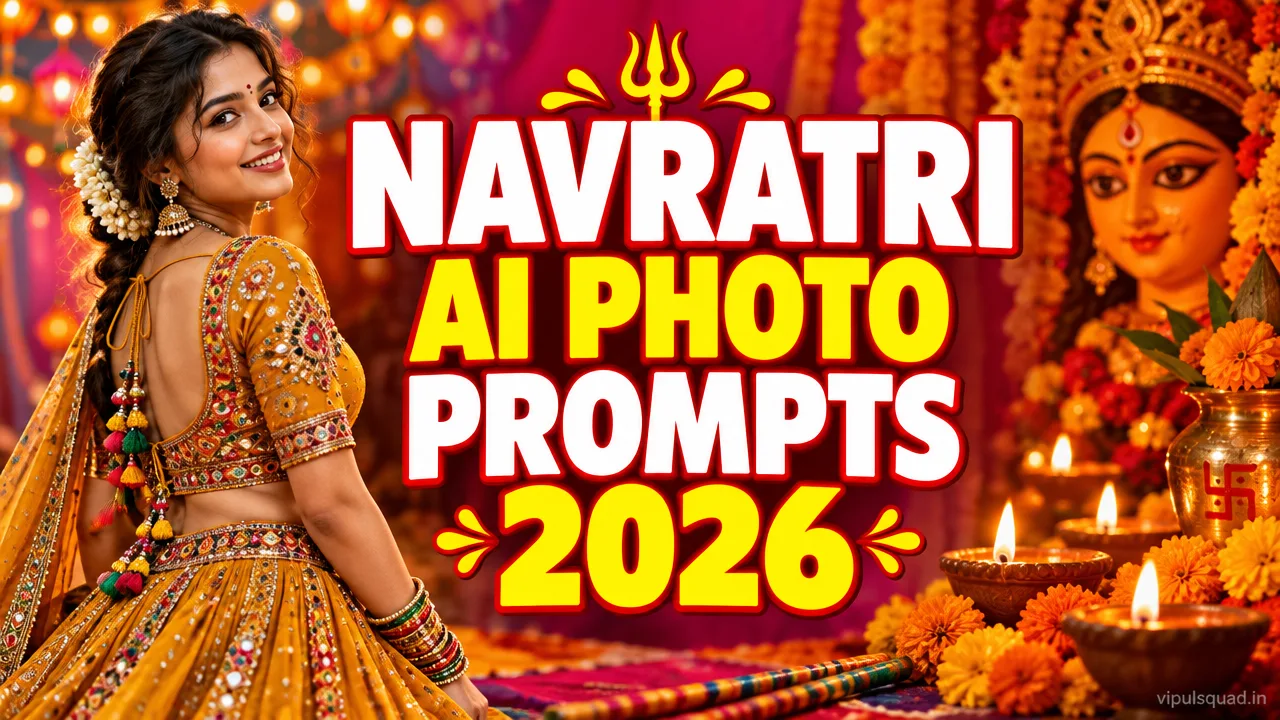
Want a festive photo without booking a studio? These Navratri AI photo editing prompts turn your own photo into a garba-night twirl, a Durga Puja pandal portrait, a dandiya couple shot or a red saree aarti look. Below are 4 free copy-paste prompts from Vipul Squad for ChatGPT and Gemini.
Every prompt starts with a face lock line so your face, hairstyle and outfit stay the same. Upload your photo, tap Copy Prompt, replace [YOUR NAME] and generate.
Quick Summary: Which Navratri Prompt Should You Use?
- Chaniya choli garba twirl: golden night lights, perfect for girls’ Instagram posts.
- Durga Puja pandal portrait: calm devotional look for boys and men.
- Dandiya couple photo: colourful, high-energy shot for couples and friends.
- Red saree aarti thali: traditional, graceful look with soft diya light.
What Is a Navratri AI Photo Editing Prompt?
A Navratri AI photo editing prompt is a ready-written instruction you paste into an AI image tool along with your own photo. The AI keeps your face and places you in a festive scene: a garba ground, a decorated pandal or a diya-lit temple courtyard, with the right outfit, light and colours.
Instead of hunting for a venue, a costume and a photographer, you describe the look once and get a polished vertical picture in under a minute. The trick is a clear prompt: who stays the same (your face), what changes (scene, outfit, light) and what to avoid (logos and extra text).
What Is Trending for Navratri 2026?
This season people are sharing three kinds of Navratri photos: mirror-work chaniya choli twirls with warm fairy lights, white kurta and red dupatta looks in front of Durga Puja pandals, and matching-outfit dandiya photos for couples and friends. Warm saffron, marigold orange and royal blue are the colours that stand out most.
Short reels and WhatsApp status wishes also work well with vertical 3:4 or 9:16 pictures, so all prompts below ask for a vertical frame. Add your name at the bottom to make the picture feel personal for Instagram and Facebook.
Why Do These Prompts Keep Your Face the Same?
Each prompt opens with the line keep the person’s face, hairstyle and outfit exactly the same. This tells the AI to treat your photo as the reference and only change the setting. Keep that sentence at the start; moving it to the end often weakens it.
Use one clear, front-facing, well-lit photo. If your photo is blurry or heavily filtered, the AI has less to work with and the face can drift.
4 Best Navratri AI Photo Editing Prompts (Copy-Paste)
Prompt 1: Chaniya Choli Garba Twirl
Best for: girls’ garba-night profile pictures and Instagram posts.
Use the uploaded photo and keep the person's face, hairstyle and outfit exactly the same. Create a vertical 3:4 photograph of the person in a mustard-golden mirror-work chaniya choli with a flowing dupatta and oxidised silver jewellery, caught mid-twirl at a Navratri garba night. Background: tall marigold-wrapped pillars, strings of warm fairy lights and softly blurred dancers. Warm golden light on the face, rich saffron and magenta colour grade, natural skin texture, sharp eyes, shallow depth of field, photorealistic. Do not add any logos or watermarks. Small text at the bottom: [YOUR NAME].
Prompt 2: Durga Puja Pandal Devotional Portrait
Best for: boys’ and men’s festive DPs, Durga Puja and Navratri wishes.
Use the uploaded photo and keep the person's face, hairstyle and outfit exactly the same. Create a vertical 3:4 portrait of the person standing calmly in a white kurta with a red-and-gold dupatta and a small tilak, in front of a beautifully lit Durga Puja pandal. Brass lamps with tiny flames, red hibiscus flowers and a golden decorated backdrop behind, softly blurred. Warm saffron glow, gentle smile, hands folded low, devotional peaceful mood, realistic skin, sharp detail, photorealistic. Do not add any logos. Small text at the bottom: [YOUR NAME].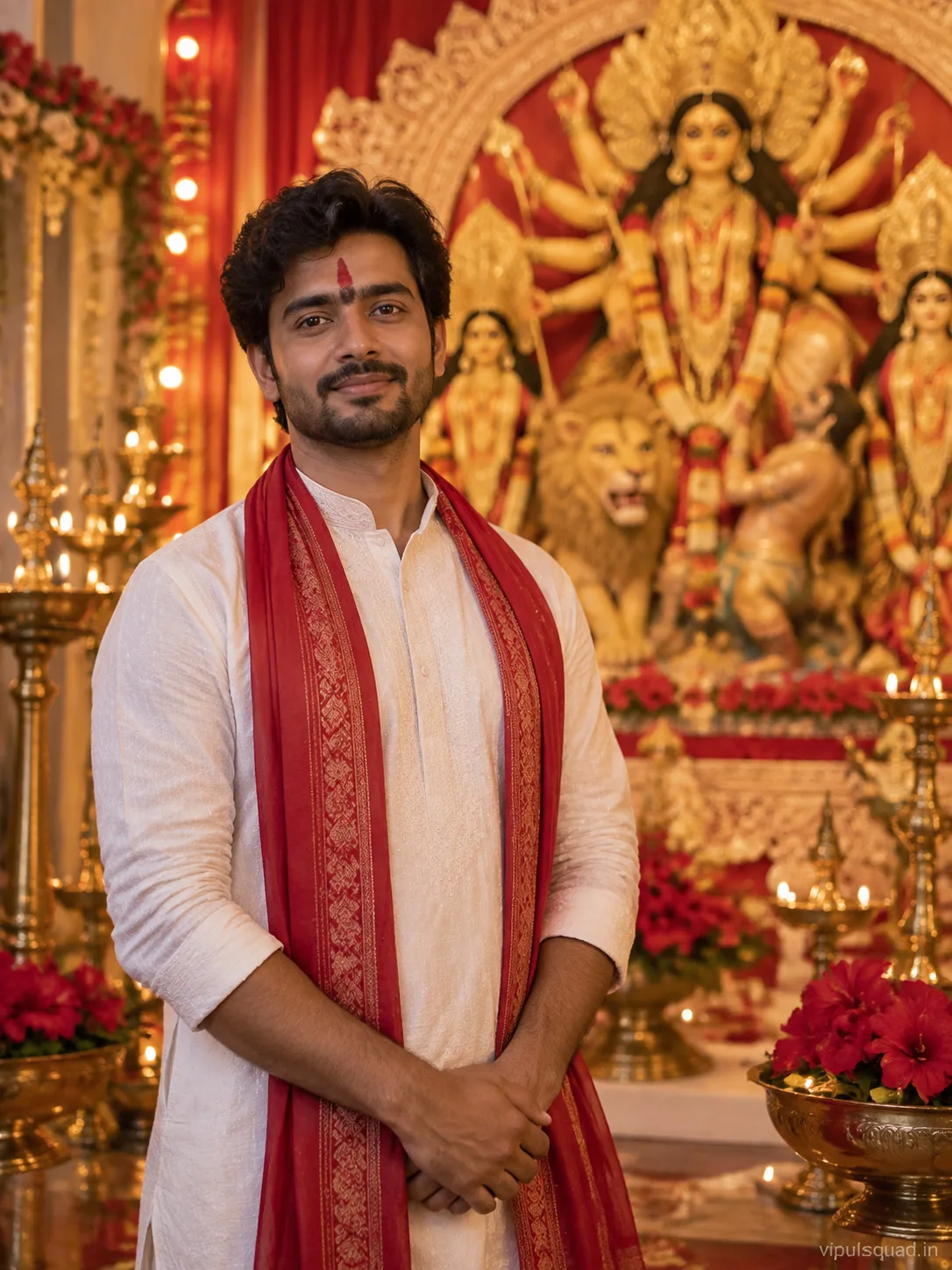
Prompt 3: Dandiya Night Couple Photo
Best for: couples, best friends and sibling photos (upload one photo with both faces).
Use the uploaded photo and keep the person's face, hairstyle and outfit exactly the same. Create a vertical 3:4 photo of the two people playing dandiya in matching red and royal-blue traditional Navratri outfits with mirror work, holding decorated dandiya sticks, laughing. Night festival ground with colourful hanging lanterns and a lit centre pole, dancers in motion blur behind. Vibrant festive colours, cinematic contrast, natural expressions, photorealistic. Do not add any logos. Small text at the bottom: [YOUR NAME].
Prompt 4: Red Silk Saree Aarti Thali Portrait
Best for: traditional, graceful Navratri and Maa Durga puja photos.
Use the uploaded photo and keep the person's face, hairstyle and outfit exactly the same. Create a vertical 3:4 portrait of the person in a deep red silk saree with a gold zari border, temple jewellery and jasmine flowers in the hair, holding a brass aarti thali with a lit diya and marigold petals. Dark temple courtyard at night with flower garlands and glowing lamps blurred behind. Soft diya light on the face, warm cinematic tones, calm smile looking down at the diya, photorealistic. Do not add any logos. Small text at the bottom: [YOUR NAME].
How to Use These Prompts: Step by Step
- Pick one clear, front-facing photo of yourself (or two people for the dandiya prompt).
- Open ChatGPT or Gemini and choose image generation.
- Upload your photo first.
- Tap Copy Prompt on the look you like and paste it.
- Replace [YOUR NAME] with your name, or delete that line.
- Generate. If the face drifts, regenerate once with the same photo and prompt.
Tips for Better Results
- Use a bright photo where the face is fully visible; a good source photo gives a better result.
- Keep the face-lock sentence at the start of the prompt.
- Change one detail at a time, such as the outfit colour or the background, instead of rewriting everything.
- Ask for a vertical 3:4 or 9:16 ratio so the picture fits Instagram and status.
- Avoid asking for brand logos or long text; short names work best.
- Post in the evening during Navratri nights when festive content gets the most views.
More Free Prompts From Vipul Squad
If you liked these, try our aesthetic AI photo editing prompts, 1980s Retro Streetwear prompt for boys, aesthetic girl AI photo editing guide or our Happy Birthday AI photo prompts. You can also browse the full Prompt category and the reel templates.
Frequently Asked Questions
What is a Navratri AI photo editing prompt?
It is a ready-written instruction you paste into an AI image tool together with your own photo. The AI then shows you in a Navratri scene such as a garba night, a Durga Puja pandal or a dandiya ground.
Which AI tool should I use for Navratri photos?
These prompts are written for ChatGPT image generation and Gemini. Upload your photo first, then paste the prompt.
How do I keep my face the same?
Use a clear front-facing photo and keep the face-lock line at the very start of the prompt. If the face still changes, regenerate once.
Can boys and men use these prompts?
Yes. Prompt 2 is made for a white kurta look, and you can change the outfit in any prompt to suit you.
Can I use one prompt for a couple photo?
Yes. Prompt 3 is written for two people. Upload one photo that shows both faces clearly.
Are the example images made from my photo?
No. They are AI-generated samples that show the look each prompt aims for. Your result will use your own photo.
Are these Navratri prompts free?
Yes. All prompts on Vipul Squad are free to copy.
Final Thoughts
Navratri is about colour, light and joy, and the right prompt lets your photo match that mood. Pick the look that suits you, keep the face-lock line in place and change one detail at a time. Share your edit on Instagram and tell us in the comments, or reach out through our Contact page if you want a prompt for another festival.